Send and receive files right inside Zoom.
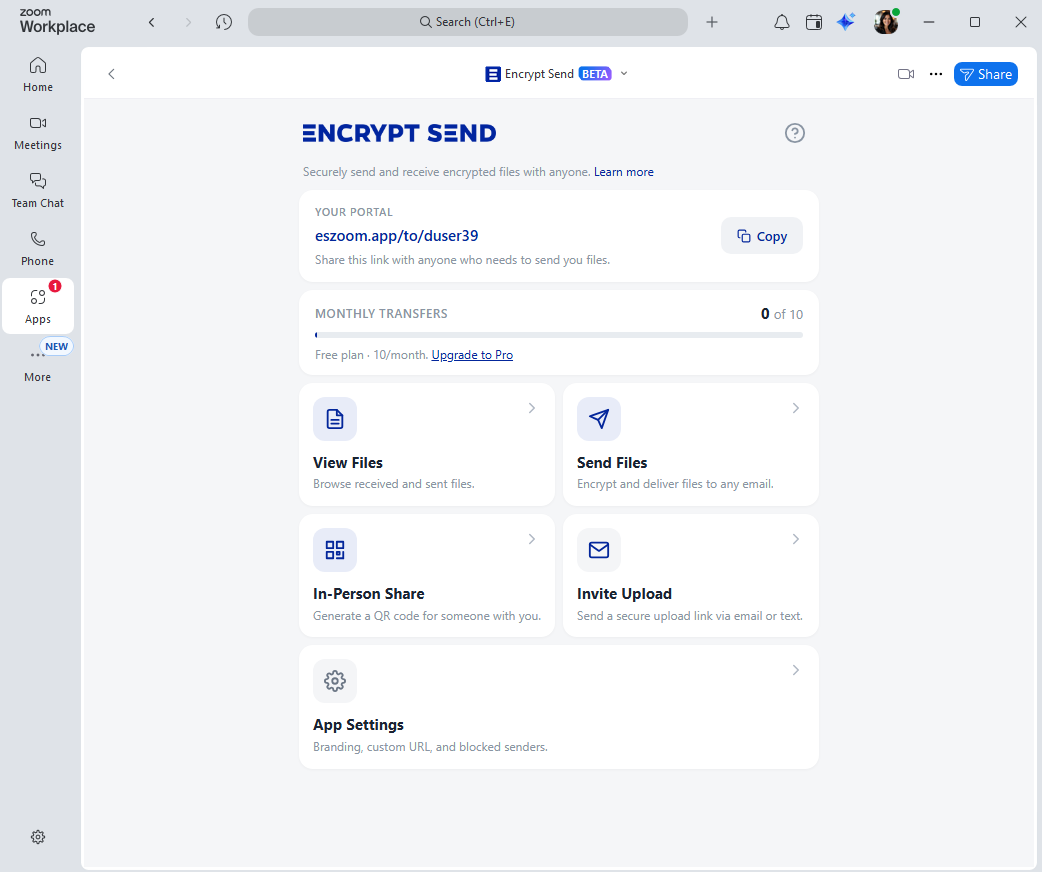
One less app to install, one less vendor to trust with your data. Every Encrypt Send user gets a personal upload link — share it once, and anyone can securely send you files straight into the Zoom account you already use.
The 1-minute tour
See Encrypt Send in action
A quick walkthrough of how it works inside Zoom — from sharing your portal link to receiving files.
Why Encrypt Send
Three reasons Zoom users love it
It fits the way you already work. See how it compares →
One less app to integrate
Skip the second platform. Encrypt Send lives inside Zoom — no separate file-sharing app to set up, manage, or train your team on.
Files stay in your Zoom account
Every file lives in your Zoom account, not on our servers. You stay in control of your data, with the same Zoom security you already trust.
Inside the Zoom you already use
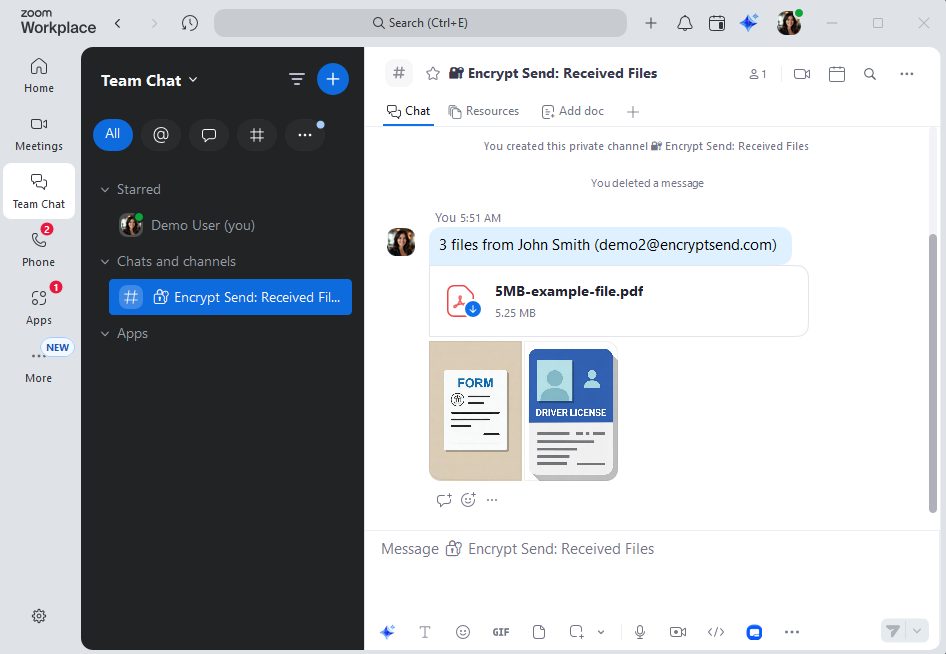
Send, receive, and follow up — all without leaving Zoom. Team Chat notifications keep you in the loop, and shared links are easy to drop into a Zoom Phone text or call.
How it works
Two-way sharing, one simple link
Whether you're collecting files from clients or sending files out, Encrypt Send handles both.
Receive Files
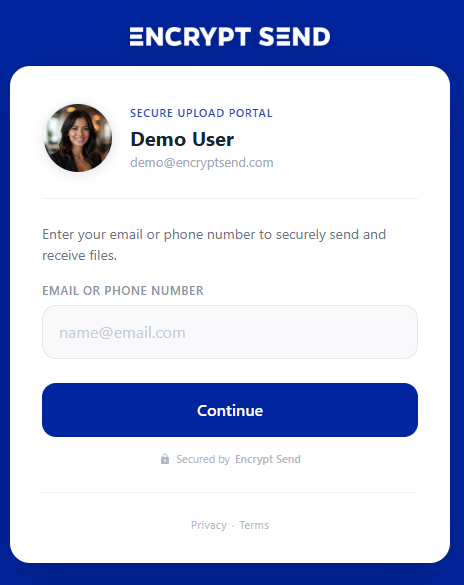
Your personal upload link
Every user gets a personal upload link like eszoom.app/to/yourname. Share it in your email signature or send it to clients directly. Guests verify with a quick email or text code — no Zoom account or app needed — and files land in your Zoom account with an instant Team Chat notification.
Send Files
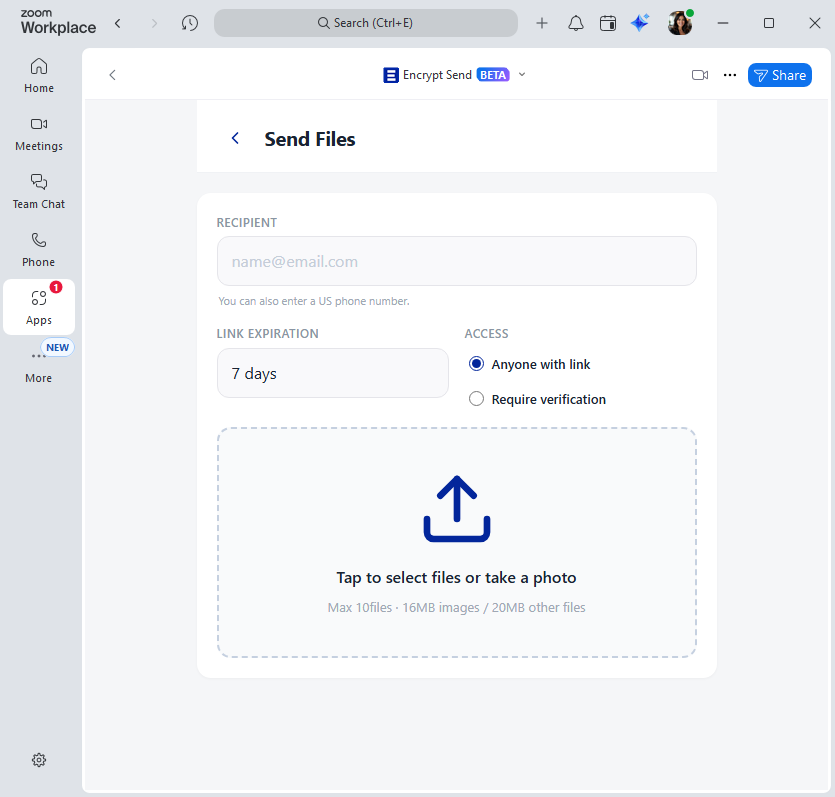
Secure delivery to anyone
Open Encrypt Send in Zoom, enter a recipient's email or phone, attach up to 10 files, and send. They get a clean email with a secure download link — and you get a copyable share link too, ready to drop into a Zoom Phone text or any other message.
Works great with Zoom Phone
Share, text, and follow up — without leaving Zoom.
Every share link is one click to copy. Paste it into a Zoom Phone text to send instantly, or have it ready during a call so you can walk a customer through their download in real time.
- Send via text — paste a download link straight into a Zoom Phone message.
- Talk it through — call a customer from Zoom and walk them through their download live.
- One place for everything — files, chat, calls, and texts all live in the same app.
Flexible options
More ways to share
Built for the way you actually work — in-person, by email, or right inside Zoom.
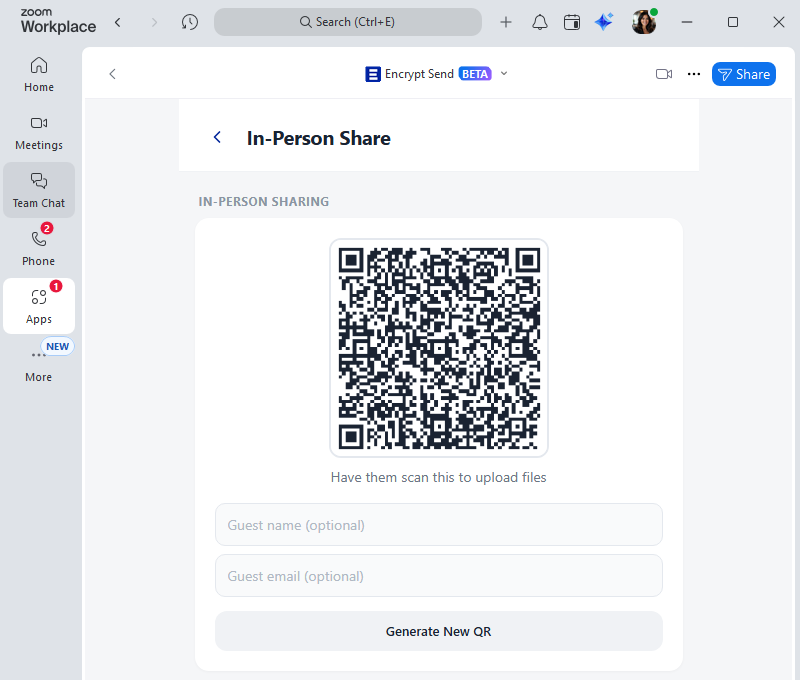
In-Person Share
Instant QR code, no login
Open the In-Person Share page and a QR code is generated instantly. Your guest scans with their phone and uploads — no email, no login, no friction. Perfect for conferences, client visits, and on-site exchanges.
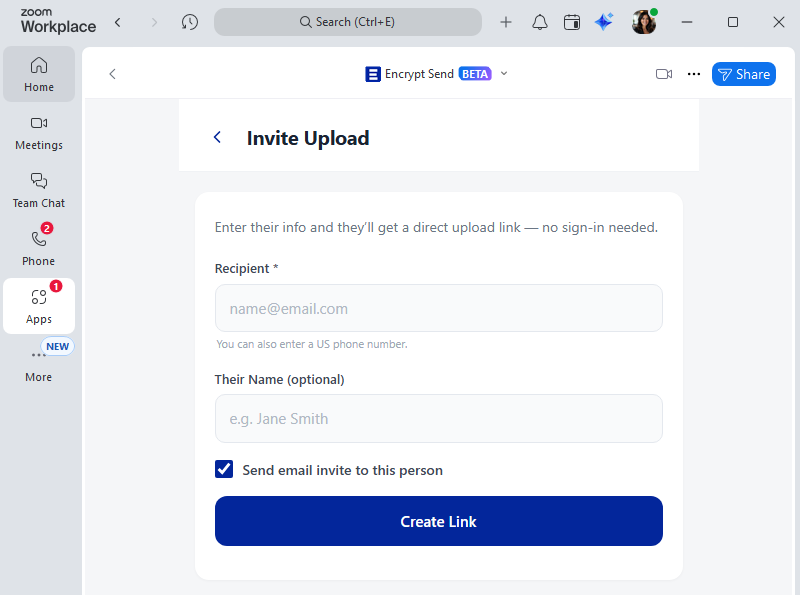
Email Invite
Branded request, one-click upload
Need files from someone? Send a branded email invite with an Upload Files button that opens straight to your portal — no walkthrough required.
Privacy by design
Built so your files stay yours
We designed Encrypt Send around a simple rule: your files belong in your Zoom account, not ours.
Files stay in your Zoom account
Every file goes directly into your Zoom account. We never store copies of your files on our servers.
Verified senders only
Guests verify their email or phone number with a one-time code before they can upload — so you always know who sent what.
Encrypted end-to-end
Files are encrypted on the way in and on the way out, and delivered through your secure Zoom account.
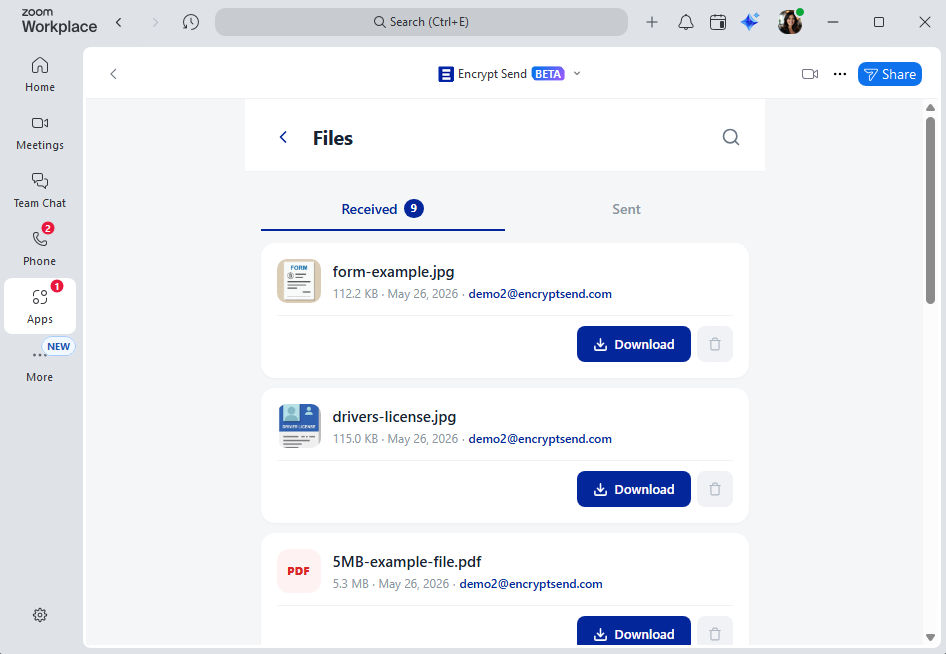
Everything in one place
See every file you've sent and received
Browse all your files with thumbnails, search by sender or file name, and re-share download links anytime — without leaving Zoom.
- Sent and received in one view
- Search by name, sender, or date
- Re-copy any download link in one click
- Block senders you don't want files from
What your recipients see
A clean experience for the other side too
No accounts, no app downloads, no confusion.
In their inbox
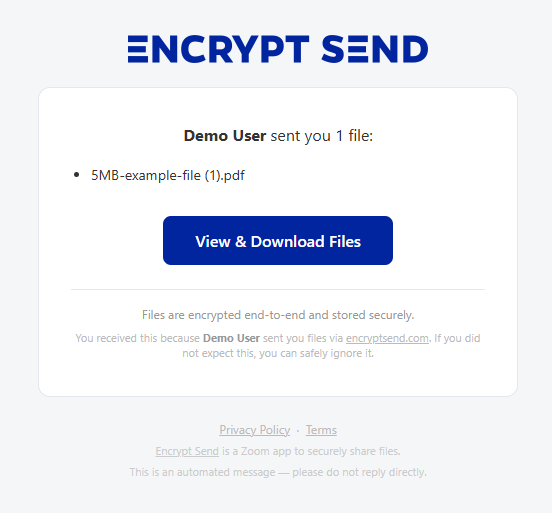
Recipients automatically get a clean email with a secure download link — no copy-paste, no walkthrough required.
On their download page
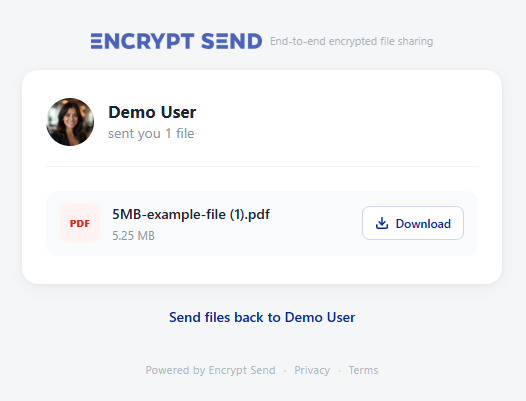
A clean download page with file details and a prominent download button — files served straight from your Zoom account.
Encrypt Send is live on the Zoom Marketplace
Install Encrypt Send for free and start sharing files securely inside Zoom in under a minute. No credit card required.
Install Free on Zoom