Built for Dealerships
Secure File Sharing for Auto Dealerships on Zoom
Collect credit applications, driver's licenses, and financial documents from customers securely — right inside Zoom. No extra apps for your staff or customers. Encrypted, compliant, and simple.
The problem with how dealerships share files today
Sensitive customer data is exposed every day through common workflows.
Email is not encrypted
Staff email credit applications and IDs as attachments every day. These files pass through third-party servers unencrypted — a data breach waiting to happen.
Texting is even worse
Customers text photos of their license or insurance card. These sit in personal text threads with no access control, no audit trail, and no way to delete them.
FTC enforcement is real
The FTC Safeguards Rule requires dealerships to encrypt customer data in transit. Non-compliance means fines, lawsuits, and loss of customer trust.
How Encrypt Send works for your dealership
Every feature is designed to fit naturally into how your team already works in Zoom.
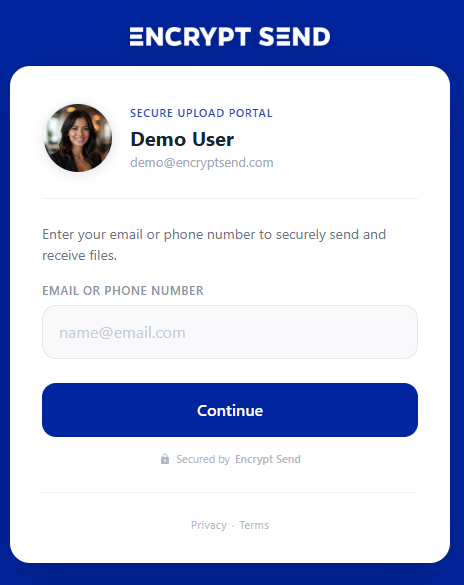
Collect documents from customers
Share your portal link with customers via email signature, your website, or during a Zoom call. They upload IDs, credit apps, and insurance docs — delivered straight to your Zoom Team Chat.
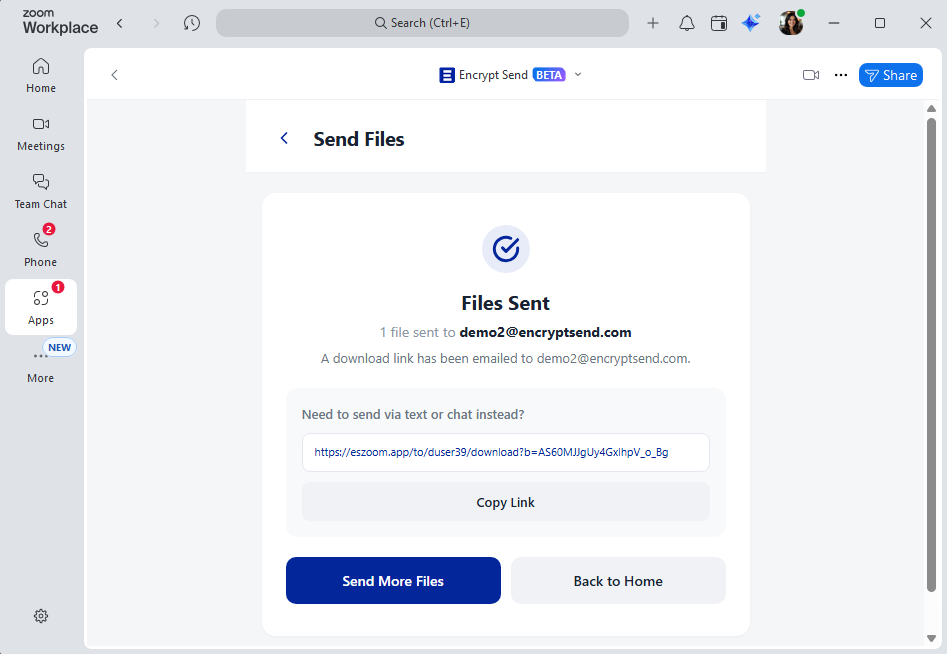
Send documents to customers
Send contracts, loan documents, or trade-in offers directly from Zoom. Your customer gets an automatic email with a secure download link — no Zoom account needed on their end.
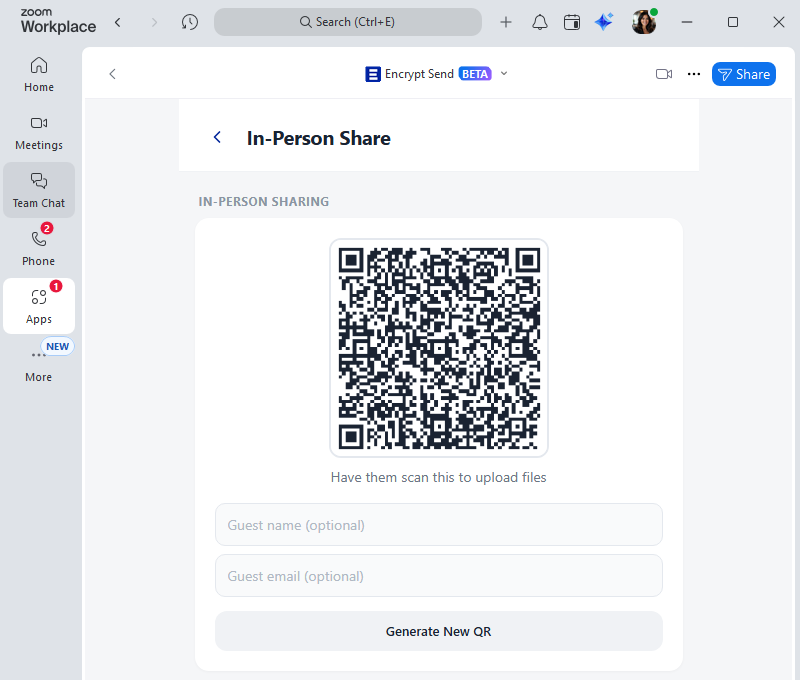
In-person sharing at the desk
Customer sitting in front of you? Open the In-Person Share page and they scan a QR code to upload files instantly — no email, no login, no friction.
Real-time notifications
Get a Zoom Team Chat notification the moment a customer uploads files. See their name, email, and file details instantly — no checking email or refreshing a portal.
Audit log for every file event
Track when files are sent, received, downloaded, or revoked — and by whom. Export to CSV anytime. Events are retained for 12 months, giving your dealership a clear compliance trail.
Audit Log
File access and transfer events from the past 12 months.
Received +1 (555) 012-3456
Received 1 file(s): contract.pdf
Downloaded +1 (555) 012-3456
Downloaded: contract.pdf
Link accessed Anonymous
Share link accessed (batch xK9m...)
Sent alex@example.com
Sent 1 file(s) to +1 (555) 012-3456: contract.pdf
Get your team set up in minutes
No IT department required. Any team member can start using Encrypt Send today.
Install from Zoom Marketplace
Each team member installs Encrypt Send from the Zoom App Marketplace. No separate signup or user accounts to create — they authorize with the Zoom account they already have.
Share your portal link
Add your personal portal link to your email signature, dealership website, or send it directly to customers who need to send you files.
Receive and send securely
Files are encrypted in transit and stored in each team member's Zoom account. Nothing is stored on Encrypt Send servers.
Built for FTC Safeguards compliance
The FTC Safeguards Rule (16 CFR 314) requires dealerships to encrypt customer information in transit. Encrypt Send uses encryption for all file transfers, and files are stored in your Zoom account — never on third-party servers.
- All files encrypted in transit between sender and recipient
- Files stored in your Zoom account, not on Encrypt Send servers
- Email verification ensures only intended recipients can access files
- No customer data is stored in Encrypt Send's database
Ref: FTC Safeguards Rule — 16 CFR 314.4(c)(3)
Related resources
Learn more about how Encrypt Send helps you share files securely.
Ready to secure your file sharing?
Install Encrypt Send from the Zoom Marketplace and start sharing files securely in minutes.
Install Free on Zoom