Compliance
FTC Safeguards Rule Compliance with Encrypt Send for Zoom
The FTC Safeguards Rule requires businesses to encrypt customer information in transit. Encrypt Send makes compliance simple — encrypted file sharing built right into Zoom.
What the FTC Safeguards Rule requires
Key requirements that affect how you share files with customers.
Encryption in transit
Section 314.4(c)(3) requires encryption of customer information transmitted over external networks. Unencrypted email attachments and text messages do not meet this requirement.
Access controls
Section 314.4(c)(1) requires controls to limit who can access customer data. Shared inboxes, open file links, and unprotected cloud folders fall short of this standard.
Data minimization
Storing customer files across multiple platforms — email servers, cloud drives, messaging apps — creates unnecessary copies of sensitive data that are hard to track and control.
How Encrypt Send addresses each requirement
Designed to align with FTC Safeguards Rule requirements for customer data protection.
Encrypted file transfers
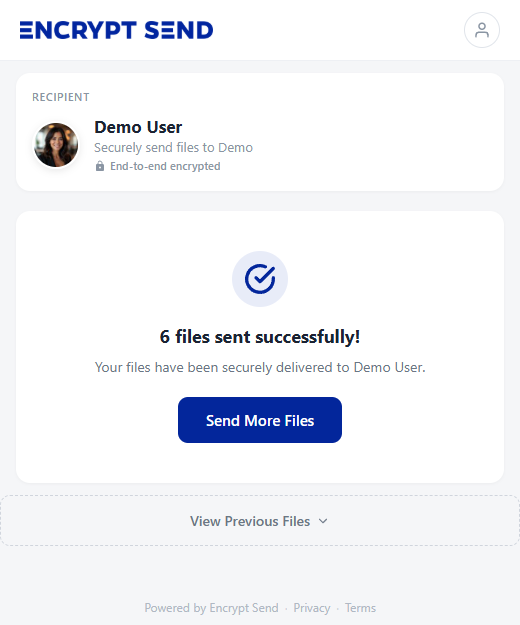
Every file shared through Encrypt Send is encrypted in transit. Whether a customer uploads a credit application or you send a contract, the data is protected during transfer.
Identity verification
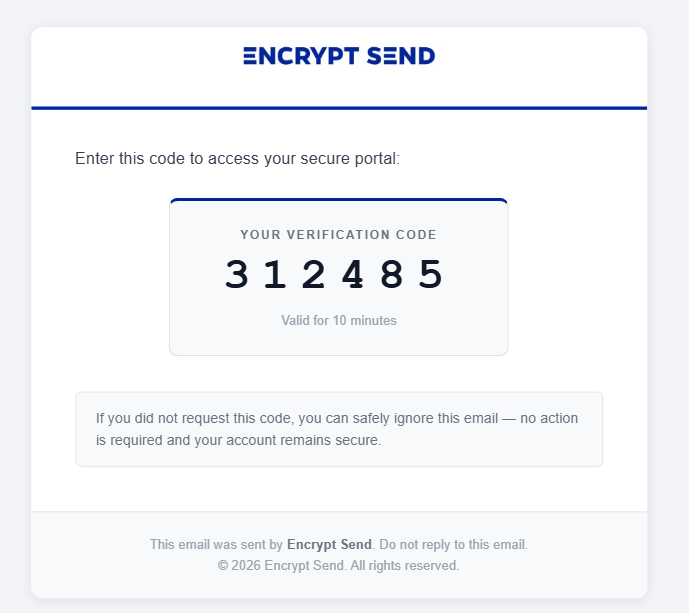
Recipients verify their identity with a one-time email code before accessing files. Only the intended person can download — no shared passwords, no open links.
No third-party file storage
Files are stored in your Zoom account — not on Encrypt Send servers. This eliminates an extra data repository and keeps customer files under your control within Zoom's infrastructure.
Audit log with 12-month retention
Every file event — sent, received, downloaded, revoked — is logged with who performed it and when. Export your audit log to CSV anytime for compliance documentation or internal review.
Audit Log
File access and transfer events from the past 12 months.
Received +1 (555) 012-3456
Received 1 file(s): contract.pdf
Downloaded +1 (555) 012-3456
Downloaded: contract.pdf
Link accessed Anonymous
Share link accessed (batch xK9m...)
Sent alex@example.com
Sent 1 file(s) to +1 (555) 012-3456: contract.pdf
What this means for your business
Encrypt Send does not guarantee FTC compliance on its own — compliance depends on your overall information security program. However, using Encrypt Send for file sharing addresses key technical requirements around encryption in transit and access controls.
- Replaces unencrypted email attachments with encrypted transfers
- Limits file access to verified recipients only
- Eliminates file copies on third-party servers
- Zero readable customer data stored in Encrypt Send's database
- Files live exclusively in your Zoom account
- Audit log tracks every file event with 12-month retention and CSV export
Ref: FTC Safeguards Rule — 16 CFR Part 314, effective June 9, 2023
Start using encrypted file sharing today
No complex setup, no IT projects. Get compliant file sharing in minutes.
Install from Zoom Marketplace
Add Encrypt Send to your Zoom account from the Zoom App Marketplace. Each staff member authorizes with their existing Zoom login — no separate accounts to create or manage.
Share your portal link
Use your personal portal link in email signatures, on your website, or send it directly to anyone who needs to share files with you.
Send and receive encrypted files
Every file transfer is encrypted. Recipients verify their identity before downloading. Files are stored in your Zoom account, not on our servers.
Related resources
Learn more about how Encrypt Send helps you share files securely.
Secure File Sharing for Auto Dealerships
See how dealerships use Encrypt Send to collect credit apps, IDs, and financial documents securely through Zoom.
Learn more →Secure Document Collection
Learn how to collect sensitive documents from customers through an encrypted portal — no apps or accounts required on their end.
Learn more →Ready to secure your file sharing?
Install Encrypt Send from the Zoom Marketplace and start sharing files securely in minutes.
Install Free on Zoom