Built for Small Business
Secure File Sharing Inside the Zoom You Already Use
Your team is already on Zoom. Encrypt Send adds encrypted file sharing right inside it — no extra apps to manage, no new accounts for your clients, no IT setup required.
Every new app is one too many
Small teams don't need more tools. They need the tools they have to do more.
Too many apps already
Every separate file-sharing service means another login, another dashboard, another place your data lives. Your team doesn't need app #12 — they need Zoom to do more.
No time to configure another platform
Small teams don't have IT departments. Setting up, configuring, and training people on a new file-sharing platform takes time you'd rather spend on clients.
Email isn't built for this
You know email attachments aren't secure, but it's what everyone defaults to because it's easy. You need something just as easy — but encrypted.
One app you already have. Everything you need.
Encrypt Send works inside Zoom — the platform your team already opens every day.
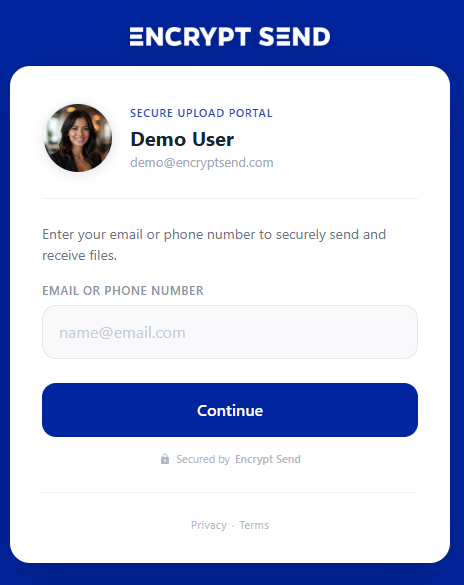
Collect files from anyone
Share your portal link with clients, vendors, or partners. They upload files after a quick email verification — no Zoom account, no app download, no registration on their end.
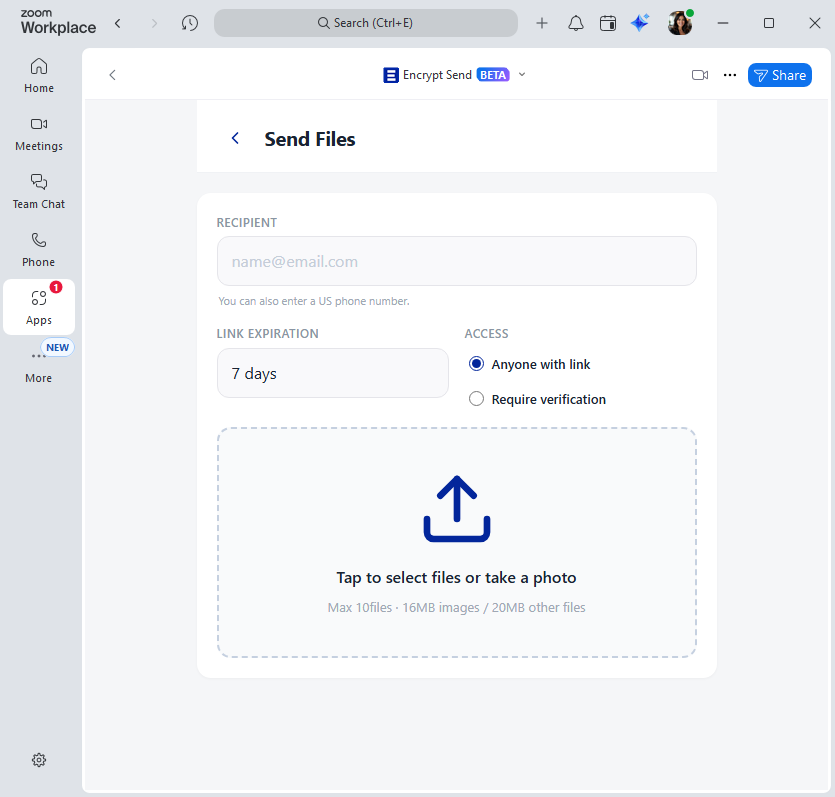
Send files securely
Send contracts, invoices, or documents directly from Zoom. Your recipient gets an automatic email with a secure download link — encrypted and identity-verified.
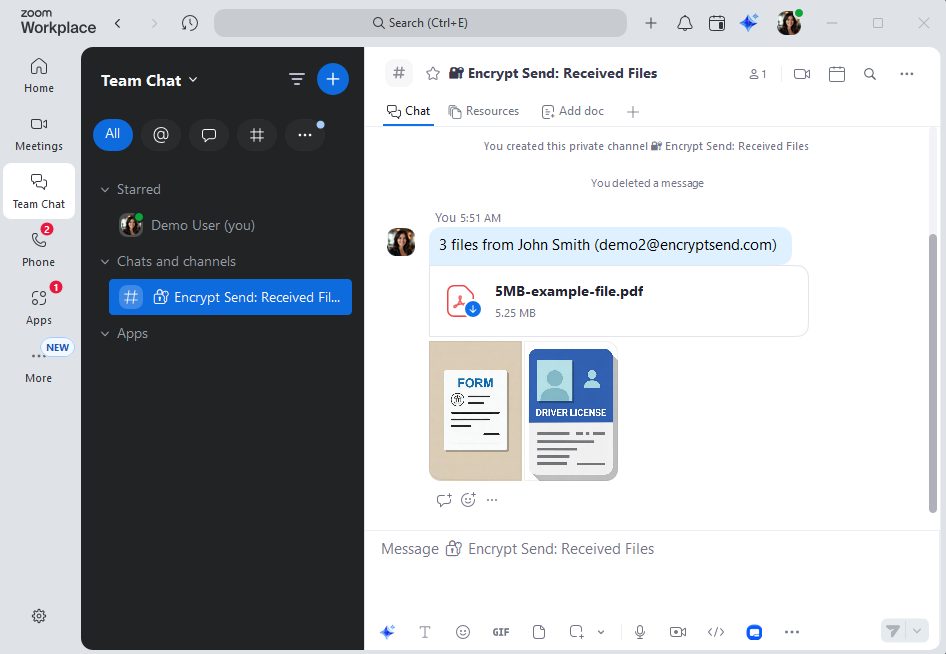
Notifications in Zoom Team Chat
The moment someone uploads files to you, you get a Team Chat notification with their name, email, and file details. No separate dashboard to check.
Free to start
The free plan includes 15 file transfers per month — enough for many small teams. Upgrade to Pro when you need unlimited transfers, larger files, and custom branding.
Audit log built in
See every file event in one place — sent, received, downloaded, or revoked, and by whom. Export to CSV anytime. Events are retained for 12 months.
Audit Log
File access and transfer events from the past 12 months.
Received +1 (555) 012-3456
Received 1 file(s): contract.pdf
Downloaded +1 (555) 012-3456
Downloaded: contract.pdf
Link accessed Anonymous
Share link accessed (batch xK9m...)
Sent alex@example.com
Sent 1 file(s) to +1 (555) 012-3456: contract.pdf
Up and running in minutes
No IT department needed. If you can install a Zoom app, you can use Encrypt Send.
Install from Zoom Marketplace
Search for Encrypt Send in the Zoom App Marketplace and add it. Your team authorizes with their existing Zoom accounts — no new user accounts to create or manage.
Share your portal link
Add your personal portal link to your email signature or website. Anyone can securely upload files to you through it.
Files arrive in Zoom
Uploaded files are encrypted and delivered to your Zoom account. You get a Team Chat notification the moment they arrive.
Secure enough for regulated industries
Even if you're not in a regulated industry, your clients trust you with sensitive files. Encrypt Send encrypts every transfer and stores files in your Zoom account — not on our servers. For businesses that do need to meet FTC Safeguards or similar standards, Encrypt Send is designed with those requirements in mind.
- All files encrypted in transit
- Identity verification for every file access
- Files stored in your Zoom account, never on Encrypt Send servers
- No readable customer data in our database
Related resources
Learn more about how Encrypt Send helps you share files securely.
Ready to secure your file sharing?
Install Encrypt Send from the Zoom Marketplace and start sharing files securely in minutes.
Install Free on Zoom